
Features
Everything in Video Cutlet 1.0
A native editor for Windows, macOS, and Linux, from the first cut to the finished file. This page lists what the editor does today, area by area.
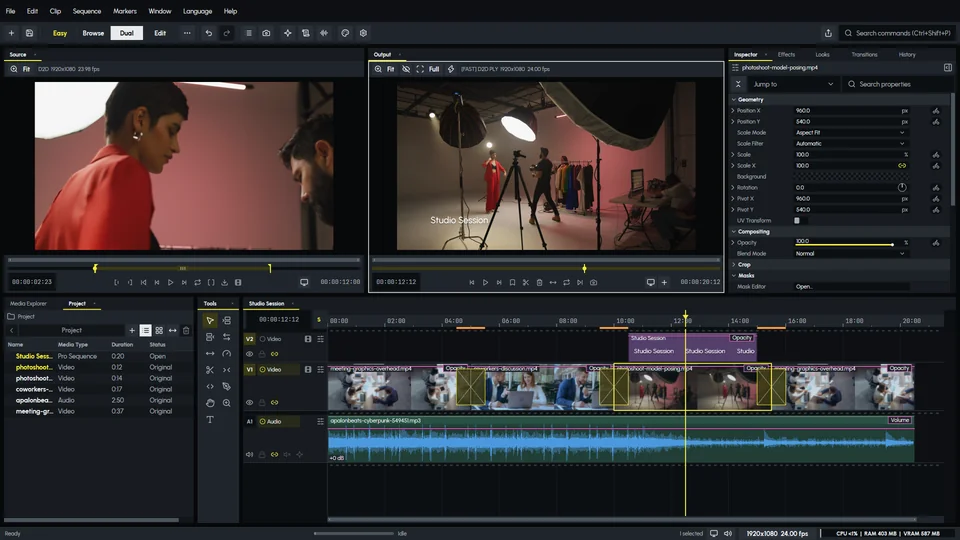
Editing
- Multitrack timeline with video, audio, and transcript tracks.
- Razor, ripple, roll, slip, slide, rate stretch, and track select tools, plus trimming and a trim mode in the Output viewer.
- Insert, overwrite, lift, extract, ripple delete, and Delete Gap; snapping to edits, markers, the playhead, and beats analyzed from an audio clip.
- Source and Output viewers with their own In and Out marks, Match Frame, and Mark Clip for three-point editing.
- J, K, and L shuttle up to 32 times speed in both directions. Every shortcut can be remapped, and F1 lists them all.
- Nested sequences: drop one sequence into another as a single clip.
- Browse, Dual, Edit, and Graphics workspaces, with panels you can dock, float, and save as layouts.
- A History panel and undo for every edit.
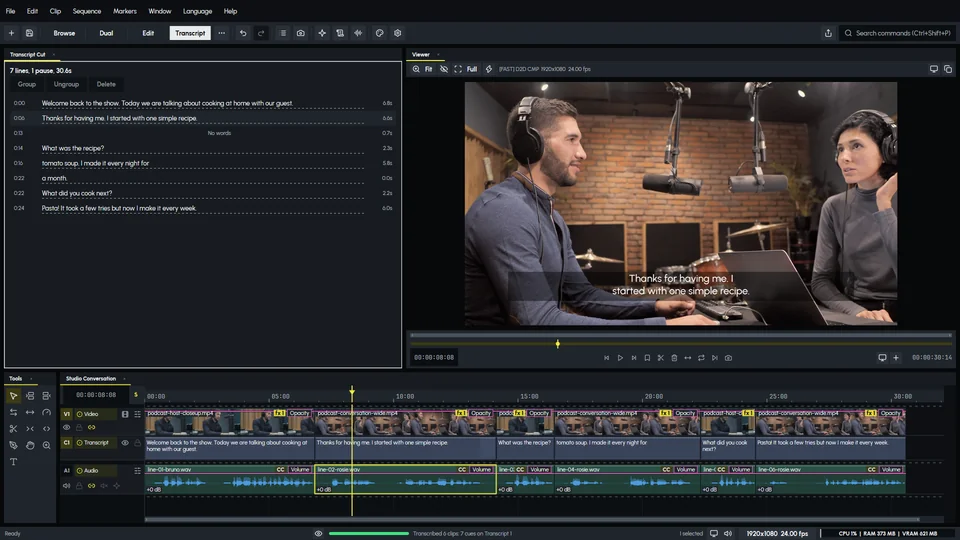
Transcripts, captions, and silence removal
- Transcription runs on your computer with a bundled Whisper model. Nothing is uploaded and nothing is downloaded.
- 17 languages, or automatic detection: English, Spanish, French, German, Italian, Portuguese, Dutch, Polish, Ukrainian, Russian, Turkish, Arabic, Hindi, Indonesian, Japanese, Korean, and Chinese.
- Edit by the transcript: delete or move a line and the cut follows.
- Captions from the transcript in several styles, including looks that highlight each word as it is spoken. Import SRT; export captions embedded in the file, burned into the picture, or as an SRT or WebVTT file beside it.
- Um and Silence Removal finds pauses, filler words, and repeated words, shows every range before it cuts, and makes the whole cut one undo step.
- Text to speech turns a script into a voice-over with English voices that run on your computer.
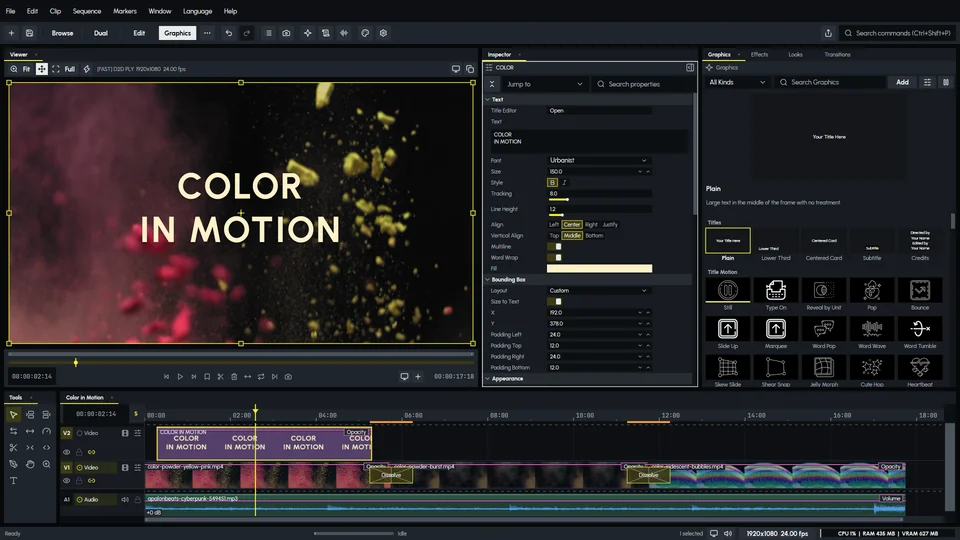
Titles and motion
- Title presets for plain text, lower thirds, centered cards, subtitles, and credits, and animated templates for lower thirds, typography, and callouts.
- Any font installed on your computer, with size, weight, tracking, line height, fill, stroke, shadow, and a background plate.
- Animations that reveal a title, move it as a whole, or animate each word or letter.
- Keyframes on every animatable value, with linear, Bezier, and hold interpolation, value and speed graphs, and motion paths you drag in the viewer.
- The Type tool writes and edits titles directly on the picture.
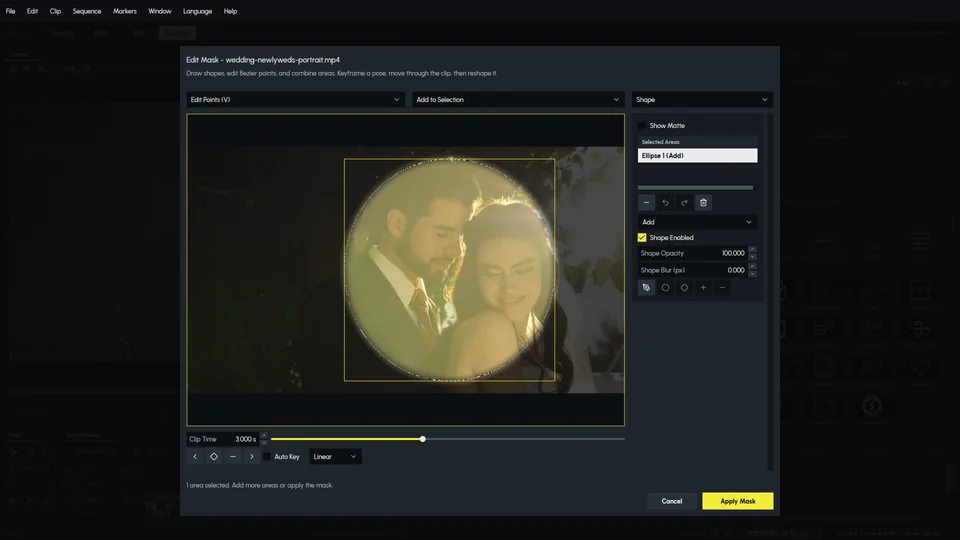
Masks and stabilization
- Rectangle, ellipse, and pen masks on any clip.
- Combine masks by adding, subtracting, intersecting, or excluding them.
- Feather, expand, opacity, blur, and invert for each mask, every one of them ready for keyframes.
- Stabilize analyzes a shot and steadies it.
Color and Looks
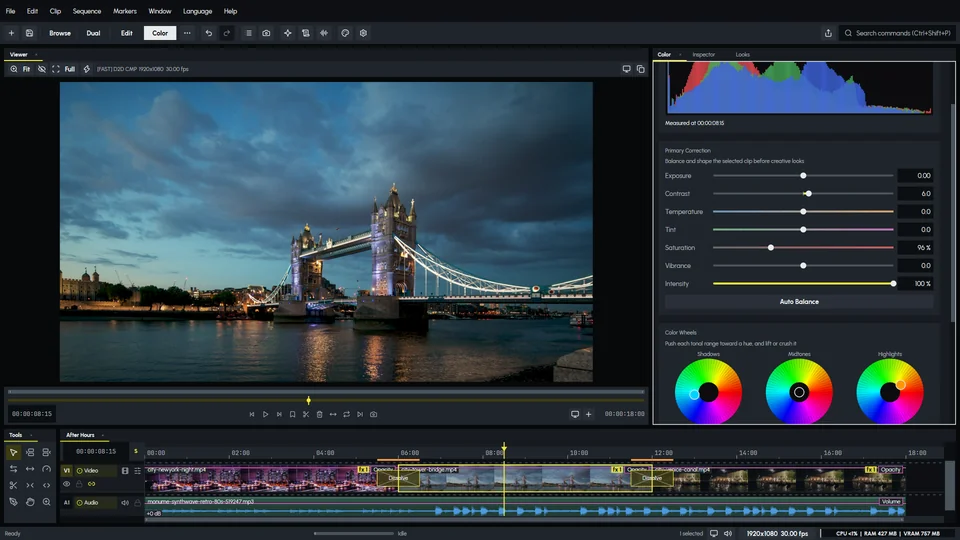
- Color wheels for shadows, midtones, and highlights, a tone curve, and Auto Balance.
- Histogram, waveform, and vectorscope.
- A gallery of Looks in categories, previewed on the picture as you hover.
- Adjustment clips grade everything under them for as long as they run.
- Compositing in linear light, and the same shaders for playback and export, so what plays is what renders.
Audio
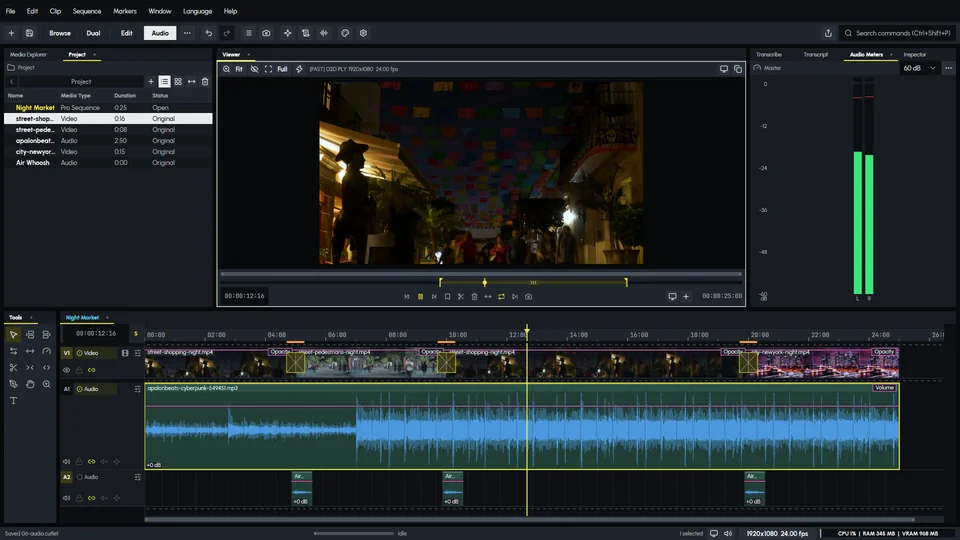
- Waveforms on the timeline, keyframed volume and pan, fades, and meters.
- Gain, high pass, low pass, compressor, and de-noise effects.
- Normalize Loudness to a target level, and Duck Under to lower music under speech.
- Speed changes that keep the pitch.
- The Sound Editor opens a clip at the waveform: cut, copy, paste, fade, gain, reverse, spectral selection, spot healing, and de-noise, then save it back under the cut. It is in the full version only.
- Record narration from a microphone, with a camera if you want one.
Export
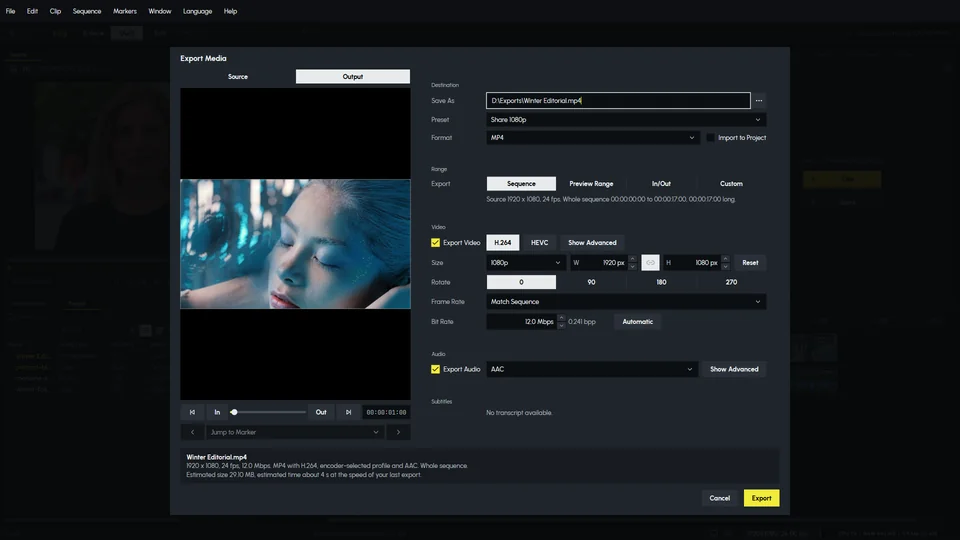
- Presets: Match Sequence, Share 720p, Share 1080p, Share 4K, Share Vertical, Share Square, Share Portrait (4:5), and High Quality Master.
- H.264 and HEVC in MP4, ProRes in MOV, DNxHR in MXF, FFV1 in MKV, animated GIF, WAV, and AAC.
- Hardware encoding through NVENC, AMF, and Quick Sync on Windows, VideoToolbox on macOS, and VA-API on Linux.
- An export queue, and Export Frame for a still PNG.
- Captions embedded, burned in, or written beside the file.
- A check before every export that names offline media, a missing folder, or a destination that cannot be written, with what to do about each.
Import and capture
- Video in MP4, MOV, MXF, MKV, AVI, WebM, MTS and M2TS, MPG, and M4V.
- Audio in WAV, MP3, M4A, AAC, FLAC, OGG, Opus, AIFF, and CAF.
- Stills in PNG, JPEG, TIFF, EXR, HEIC, SVG, WebP, and more, plus animated GIF and Lottie.
- Optimized Media makes an edit-friendly copy of heavy footage, and playback can drop to a lower resolution to stay smooth.
- Capture records screens, windows, cameras, microphones, and system audio.
Your projects stay yours
Projects are .cutlet files in versioned JSON, saved where you
choose. The editor saves recovery copies as you work and offers them after a crash.
Automation
- A built-in MCP server named
videocutletlets an AI agent read the project, edit the timeline, transcribe, mask, and export, with the same commands the interface uses. - An agent's edits land on your undo stack, labeled like your own.
- It listens only on your computer: a named pipe on Windows and an owner-only socket on macOS and Linux, checked with a random key each session. It opens no network port.
- The
cutletcommand line calls the same tools from a shell or a script, prints one line of JSON per reply, and returns an exit code that says what happened. cutlet toolslists every tool and its flags.
# List every tool and its flags
cutlet tools

# Read the open sequence as JSON
cutlet sequence_state

# Render it with the 1080p preset
cutlet export_sequence --preset-id share-1080p --output-path talk.mp4

# Connect an MCP client over stdin and stdout
cutlet mcp
Try it on your own footage
The trial is the same editor with three video and three audio tracks, exports up to 25 minutes and 4K, and no Sound Editor. It does not expire.