
Cut video fast. Pay once.
Video Cutlet is a native video editor for Windows, macOS, and Linux. Transcription, captions, and voice run on your own computer. There is no subscription, and you do not need an account to edit.
For Windows, macOS, and Linux.
- One-time purchase
- Works offline
- Native on Windows, macOS, and Linux
- Speech features run locally
Editing
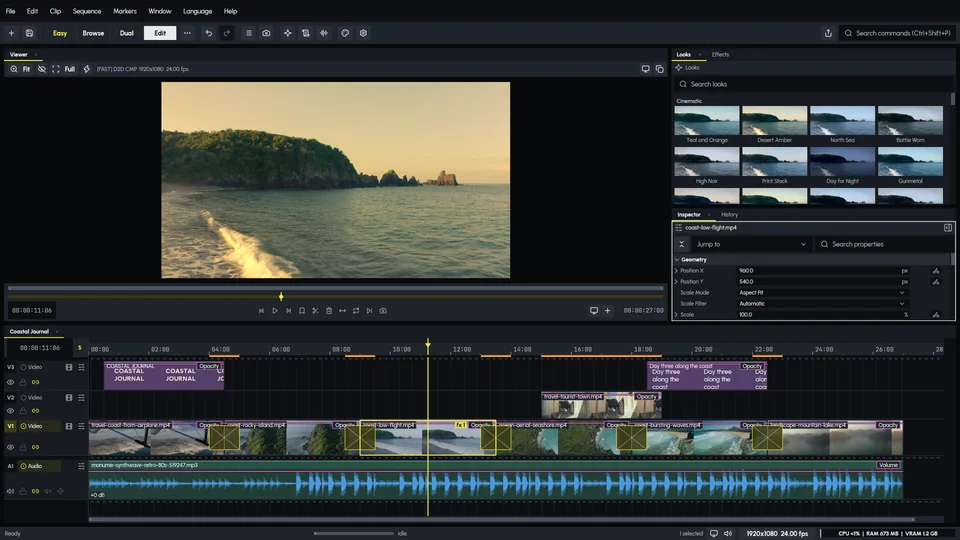
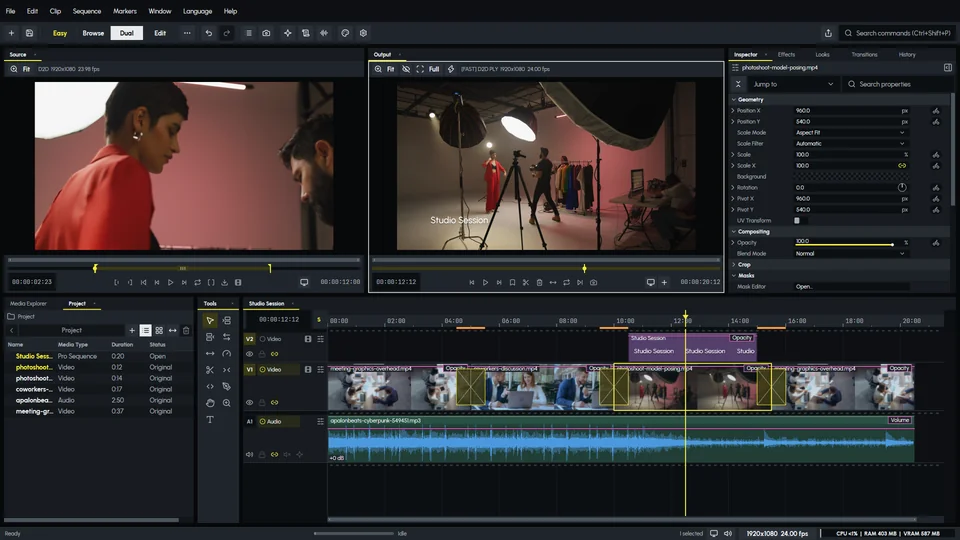
A timeline for real cutting
Cut on a multitrack timeline with razor, ripple, roll, slip, and slide tools, insert and overwrite edits, markers, and snapping. Mark ranges in the Source and Output viewers, shuttle with J, K, and L, and remap any shortcut.
Speech
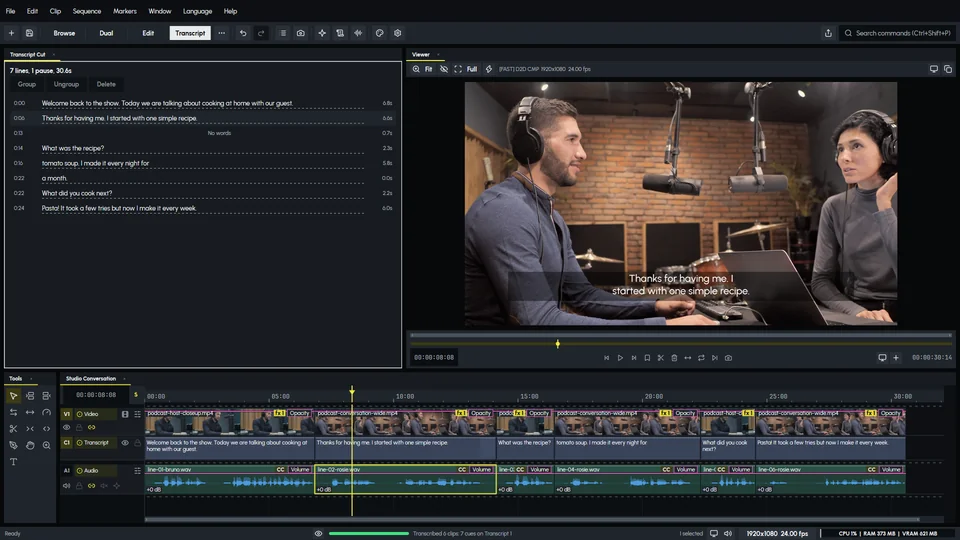
Transcripts, captions, and silence removal
Transcribe speech in 17 languages on your own computer, then edit by the transcript: delete a line and the cut closes up behind it. Turn the words into captions, and remove pauses, filler words, and repeated words in one step after you preview them.
Titles
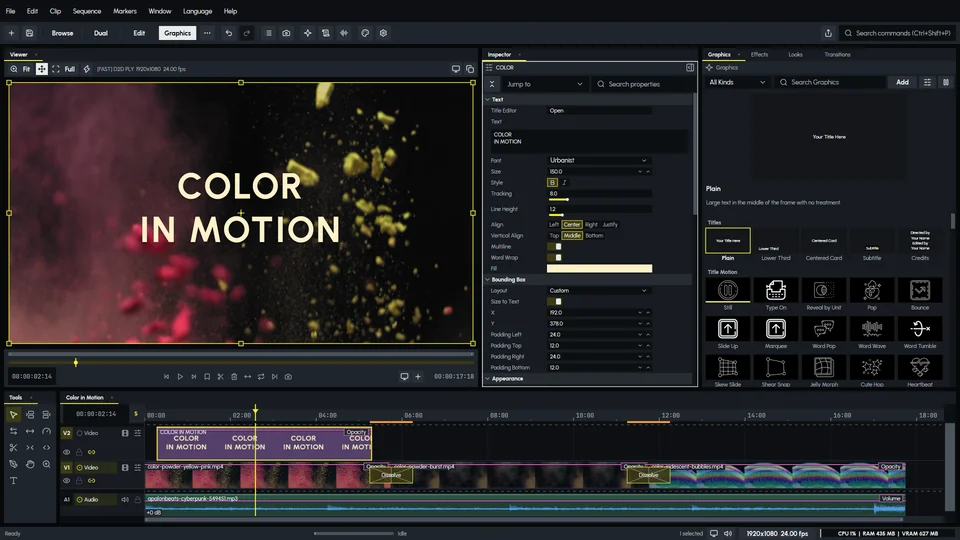
Titles and motion
Start from title presets and animated templates for lower thirds, callouts, and credits, set in any font on your computer. Animate them per word or per letter, or with keyframes, eased curves, and motion paths you drag in the viewer.
Masks
Masks and stabilization
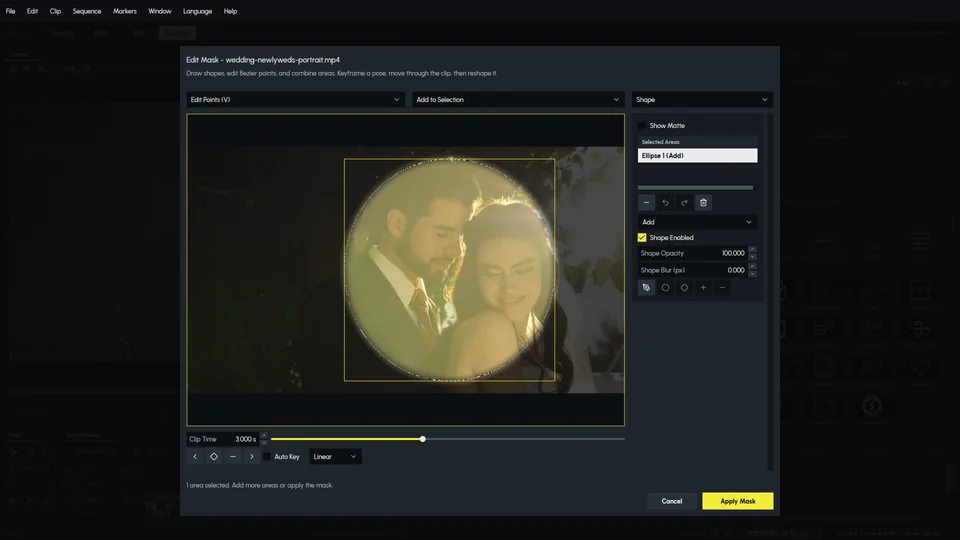
Draw rectangle, ellipse, and pen masks, combine them, and feather, expand, or invert each one, with every setting ready for keyframes. Stabilize steadies handheld footage from an analysis of the shot.
Color
Color and Looks
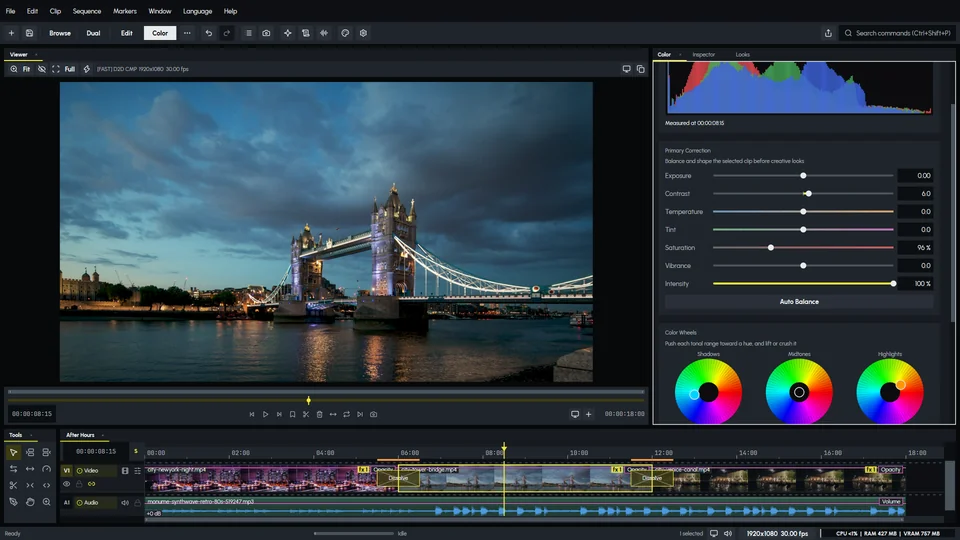
Grade with wheels for shadows, midtones, and highlights, a tone curve, and Auto Balance, and check the result on a histogram, waveform, and vectorscope. Pick a Look from a gallery that previews on hover, or grade a whole stretch of the timeline with one adjustment clip.
Audio
Audio editing
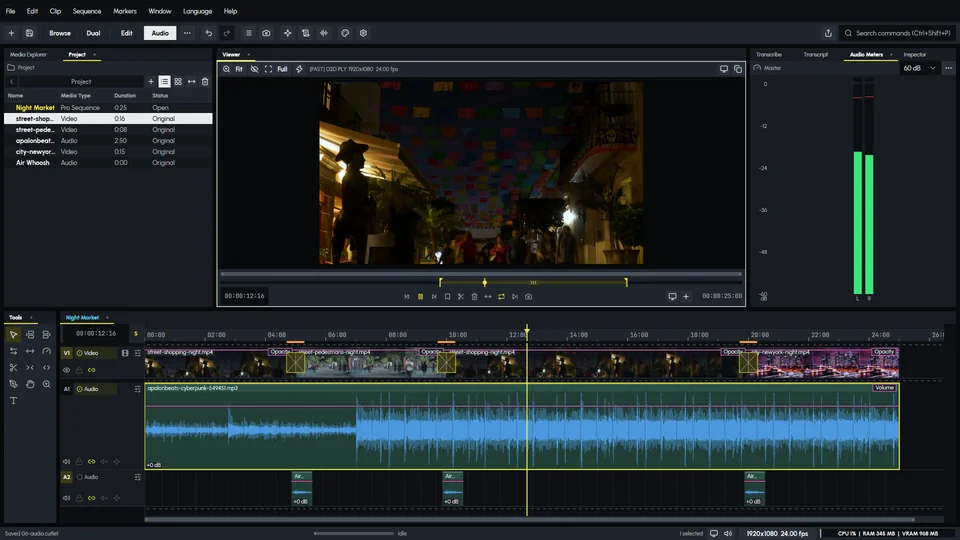
Shape volume and pan with keyframed envelopes, normalize loudness to a target, and duck music under speech. Open any clip in the Sound Editor to cut, fade, repair, and de-noise at the waveform, then save it back under the cut.
Export
Export presets
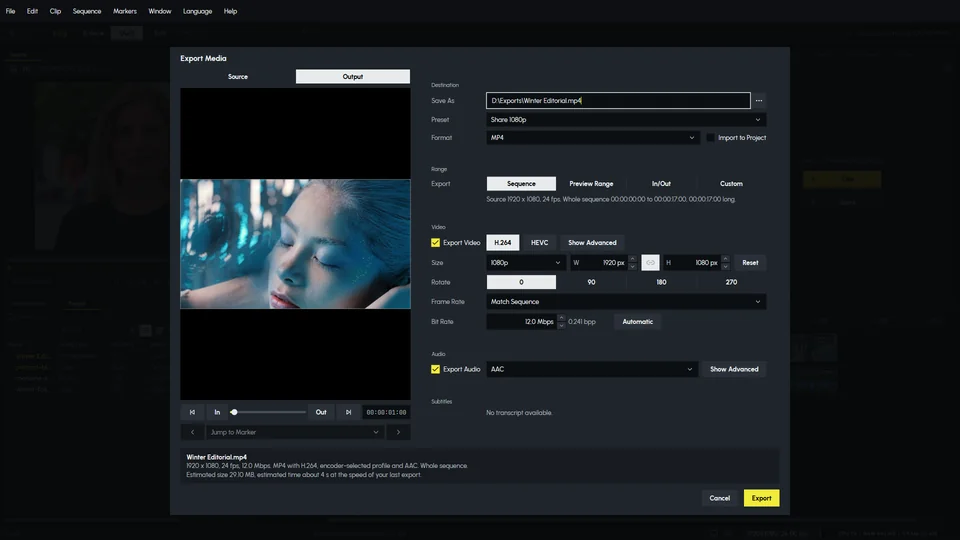
Export for 720p, 1080p, 4K, vertical, square, and portrait screens, or as a high quality HEVC master, on your graphics hardware's encoder where it has one. Deliver H.264, HEVC, ProRes, DNxHR, FFV1, animated GIF, WAV, or AAC, with captions embedded, burned in, or written beside the file.
Automation
A command line and an MCP server
An AI agent can read your project and edit it through the built-in MCP server, using
the same commands as the interface, and every edit it makes is a step on your undo
stack. The cutlet command line drives the same tools from a shell, with
JSON replies and exit codes for scripts.
# Preview the pauses and filler words in the selected clips
cutlet remove_ums_and_silence

# Cut them, as one step you can undo
cutlet remove_ums_and_silence --apply true

# Render the sequence with the 1080p preset
cutlet export_sequence --preset-id share-1080p --output-path talk.mp4
Pricing
Buy it once. Try it first.
Video Cutlet
USD 39.99 plus sales tax where it applies in the US
EUR 39.99 including VAT
- One payment, no subscription
- Every 1.x update included
- DRM-free: no license key, no activation, no online check
- The Sound Editor, and none of the trial's limits on tracks or exports
Buying opens at launch. Until then, the free trial is the way to use Video Cutlet.
Download the free trialFree trial
The same editor, free, with these limits:
- Three video tracks and three audio tracks play and export
- Exports up to 25 minutes long
- Exports up to 4K (3840 x 2160)
- No Sound Editor
It does not expire, adds no watermark, and needs no account.
Questions
Before you download
Is this a subscription?
No. You pay once, and every 1.x update is included.
Do I need an account or an internet connection?
No. The editor has no sign-in, no license check, and no update check, and it works offline. An account will exist only to download the full version after you buy.
Is my footage uploaded anywhere?
No. Transcription, captions, silence removal, and text to speech run on your computer, and the editor sends nothing about you or your projects anywhere.
What does the trial leave out?
Only what the limits above say. Tracks past the third of each kind stay in your project but are left out of playback and export, exports stop at 25 minutes and 4K, and the Sound Editor is not included.
Which computers does it run on?
Windows 10 and 11 on 64-bit PCs, macOS 13 or later on Macs with Apple silicon, and 64-bit Linux with Wayland and a Vulkan graphics driver. The download page lists the details.
More answers are on the support page.